Emergency Call1.2.5
Publisher Description


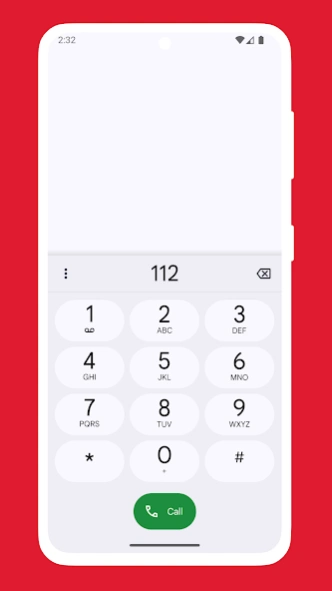
Find emergency phone numbers for your current location in case of an emergency
This app helps you find emergency phone numbers for your current location in case of an emergency.
The Emergency Call app requires an internet connection and access to the GPS receiver to function properly.
The accuracy of your determined location depends on the quality of your device's GPS receiver.
Supported countries:
- Afghanistan
- Albania
- Algeria
- American Samoa
- Andorra
- Angola
- Anguilla
- Antarctica
- Antigua and Barbuda
- Argentina
- Armenia
- Aruba
- Ascension Island
- Australia
- Austria
- Azerbaijan
- Bahrain
- Bangladesh
- Barbados
- Belarus
- Belgium
- Belize
- Benin
- Bermuda
- Bhutan
- Bolivia
- Bosnia and Herzegovina
- Botswana
- Brazil
- British Indian Ocean Territory
- Brunei
- Bulgaria
- Burkina Faso
- Burundi
- Cambodia
- Cameroon
- Canada
- Cape Verde
- Caribbean Netherlands
- Cayman Islands
- Central African Republic
- Chad
- Chile
- China
- Christmas Island
- Cocos (Keeling) Islands
- Colombia
- Comoros
- Congo Republic
- Cook Islands
- Costa Rica
- Croatia
- Cuba
- Curaçao
- Cyprus
- Czech Republic
- Côte d'Ivoire
- Democratic Republic of Congo
- Denmark
- Djibouti
- Dominica
- Dominican Republic
- East Timor
- Ecuador
- Egypt
- El Salvador
- Equatorial Guinea
- Eritrea
- Estonia
- Eswatini (Swaziland)
- Ethiopia
- Falkland Islands (Malvinas)
- Faroe Islands
- Fiji
- Finland
- France
- French Guiana
- French Polynesia
- Gambia
- Georgia
- Germany
- Ghana
- Gibraltar
- Greece
- Greenland
- Grenada
- Guadeloupe
- Guam
- Guatemala
- Guernsey
- Guinea
- Guinea-Bissau
- Guyana
- Haiti
- Honduras
- Hong Kong
- Hungary
- Iceland
- India
- Indonesia
- Iran
- Iraq
- Ireland
- Isle of Man
- Israel
- Italy
- Jamaica
- Japan
- Jersey
- Jordan
- Kazakhstan
- Kenya
- Kiribati
- Kosovo
- Kuwait
- Kyrgyzstan
- Laos
- Latvia
- Lebanon
- Lesotho
- Liberia
- Libya
- Liechtenstein
- Lithuania
- Luxembourg
- Macao
- Madagascar
- Malawi
- Malaysia
- Maldives
- Mali
- Malta
- Marshall Islands
- Martinique
- Mauritania
- Mauritius
- Mayotte
- Mexico
- Micronesia, Federated States of
- Moldova
- Monaco
- Mongolia
- Montenegro
- Montserrat
- Morocco
- Mozambique
- Namibia
- Nauru
- Nepal
- Netherlands
- New Caledonia
- New Zealand
- Nicaragua
- Niger
- Nigeria
- Niue
- Norfolk Island
- North Korea
- North Macedonia
- Northern Mariana Islands
- Norway
- Oman
- Pakistan
- Palau
- Palestine, State of
- Panama
- Papua New Guinea
- Paraguay
- Peru
- Philippines
- Poland
- Portugal
- Puerto Rico
- Qatar
- Romania
- Russia
- Rwanda
- Réunion
- Saint Barthélemy
- Saint Helena
- Saint Kitts and Nevis
- Saint Lucia
- Saint Martin
- Saint Pierre and Miquelon
- Saint Vincent and the Grenadines
- Samoa
- San Marino
- Saudi Arabia
- Senegal
- Serbia
- Seychelles
- Sierra Leone
- Singapore
- Slovakia
- Slovenia
- Solomon Islands
- Somalia
- South Africa
- South Georgia and the South Sandwich Islands
- South Korea
- South Sudan
- Spain
- Sri Lanka
- Sudan
- Suriname
- Sweden
- Switzerland
- Syria
- São Tomé and Príncipe
- Taiwan
- Tajikistan
- Tanzania
- Thailand
- The Bahamas
- Togo
- Tokelau
- Tonga
- Trinidad and Tobago
- Tristan da Cunha
- Tunisia
- Turkey
- Turkmenistan
- Turks and Caicos Islands
- Tuvalu
- Uganda
- Ukraine
- United Arab Emirates
- United Kingdom
- United States of America
- Uruguay
- Uzbekistan
- Vanuatu
- Vatican City / Holy See
- Venezuela
- Vietnam
- Virgin Islands, British
- Virgin Islands, U.S.
- Wallis and Futuna
- Western Sahara
- Yemen
- Zambia
- Zimbabwe
- Åland Islands
About Emergency Call
The company that develops Emergency Call is Collette Software. The latest version released by its developer is 1.2.5.
To install Emergency Call on your Android device, just click the green Continue To App button above to start the installation process. The app is listed on our website since 2026-06-15 and was downloaded 39 times. We have already checked if the download link is safe, however for your own protection we recommend that you scan the downloaded app with your antivirus. Your antivirus may detect the Emergency Call as malware as malware if the download link to com.collette.emergencycall is broken.
How to install Emergency Call on your Android device:
- Click on the Continue To App button on our website. This will redirect you to Google Play.
- Once the Emergency Call is shown in the Google Play listing of your Android device, you can start its download and installation. Tap on the Install button located below the search bar and to the right of the app icon.
- A pop-up window with the permissions required by Emergency Call will be shown. Click on Accept to continue the process.
- Emergency Call will be downloaded onto your device, displaying a progress. Once the download completes, the installation will start and you'll get a notification after the installation is finished.
Program Details
System requirements
Download information
Pricing
Version History
version 1.2.5
posted on 2026-06-15
• updated some emergency phone numbers
• minor improvements and bug fixes
If you encounter any issues or having some questions, please send an email to: software@collette.contact
version 1.2.4
posted on 2025-06-30
• minor improvements and bug fixes
If you encounter any issues or having some questions, please send an email to: software@collette.contact
version 1.2.1
posted on 2025-06-02
• updated emergency phone numbers
• minor improvements and bug fixes
If you encounter any issues or having some questions, please send an email to: software@collette.contact
version 1.1.2
posted on 2023-02-09
Bug fixes
version 1.1.1
posted on 2021-11-15
Improved logic to determine your location
version 1.1.0
posted on 2021-03-17
Added ability to remove ads
version 1.0.10
posted on 2020-06-23
- Support for 32 new countries!
- Updated emergency phone numbers for already supported countries
- Decreased the time it takes to determine your current location
